
Is your business not getting visible on Google? Some small Google My Business mistakes can cost you money or even visibility. You can easily set up your Google Business profile, but setting it up well is where most people fail.
Imagine a customer reaches out to your store and sees poor-quality profiles with outdated details, zero-quality photos. Would they try your service or buy from you? The answer is simple: “No.” They will easily jump to your competitor’s profile. You wouldn’t want them to do that.
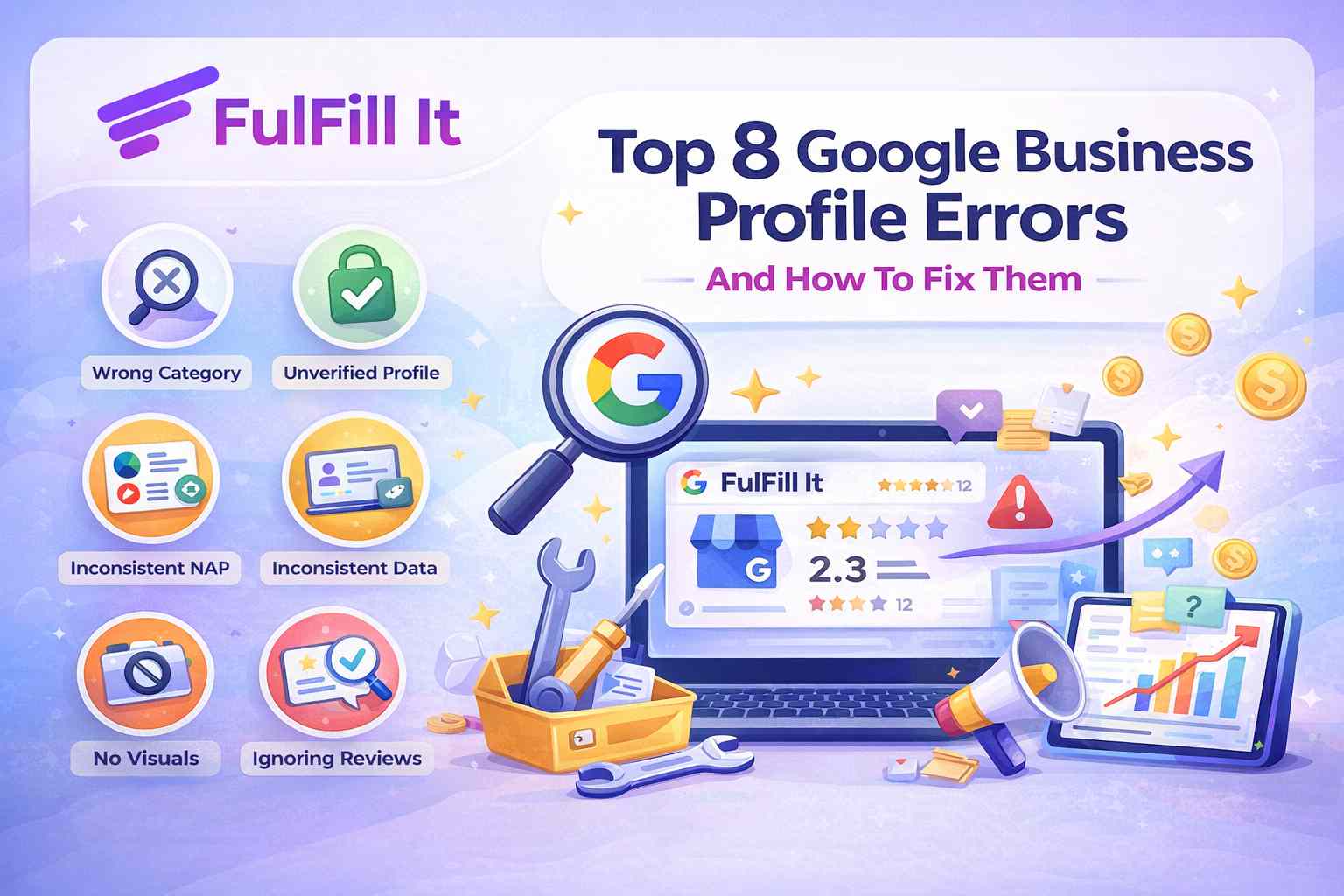
Here are 8 common Google Business Profile errors with their solutions. These Google Business Profile best practices can take your engagement from zero to hero.
1. Choosing the Wrong Business Category
Here is where most businesses mess up. When creating your Google Business Profile, Google asks for your business category. The Google algorithm relies heavily on your business category to understand your business. It is one of the biggest ranking factors. Using just a category because you feel like it can take the wrong customers to your business.
If you select the wrong category or a broad category, it can negatively affect your business. This approach can make you miss out on customers who actually need your services.
How to fix it:
- Select the exact category that accurately describes your business. If you can’t find a category, then you can search your competitors.
- Use secondary categories strategically. Don’t just select categories for the sake of it. It can take away potential customers from your business.
2. Not Verifying Your Google Business Profile
If your profile is not verified, Google won’t show it in search. A lot of businesses leave their profiles unverified, thinking they will verify them later. But little did they know it could cost them their visibility.
Another downfall of not verifying is the risk of suspension and hijacking. You are risking your whole business just to save a few minutes. And still we see businesses ignoring this step for weeks or months. Verifying your profile can improve Google Business Profile rankings.
How to fix it:
- Go to your business profile Manager
- Follow all the steps to verify your profile
- Google might send you a text or email depending on your setup.
Wallah! Your business is verified.
3. Inconsistent NAP Information Across the Web
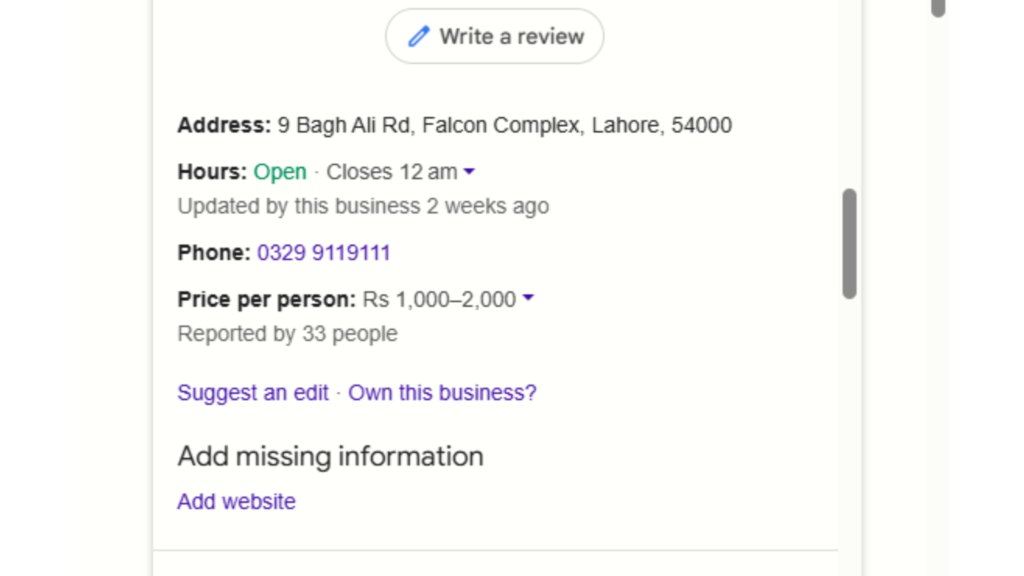
This is another common mistake businesses make. They put inconsistent Names, Addresses, and Phone Numbers across their GBP profile or other online directories. It not only confuses search engines but also customers, and makes them go to your competitors.
Inconsistent NAP information can negatively impact local SEO Google Business Profile rankings. Sometimes businesses use the same address but in a different format across all platforms. It can also negatively impact your profile.
How to fix it:
- Ensure your NAP information is consistent and have same format across all platforms.
- Regularly audit your listings to see if there are any mistakes.
4. Google Business Profile issues caused by Inconsistent Data
If you have an incomplete Google Business Profile or wrong business information on your profile, you will miss out on potential leads. Google doesn’t like incomplete information. Same for the customers. An incomplete or empty profile won’t build trust.
If your business has a physical location and you add the wrong address or wrong business hours. It can make people come early or late when your business is closed. It can lead to frustration or anger in customers.
How to fix it:
- Regularly audit your profile and use third-party listings to verify your details.
- Make your profile specific and not broad; it builds relevance and avoids confusion.
- Add photos, services, business hours, FAQs, and a brief description for your website.
5. Not Using Photos, Videos, and Visual Content
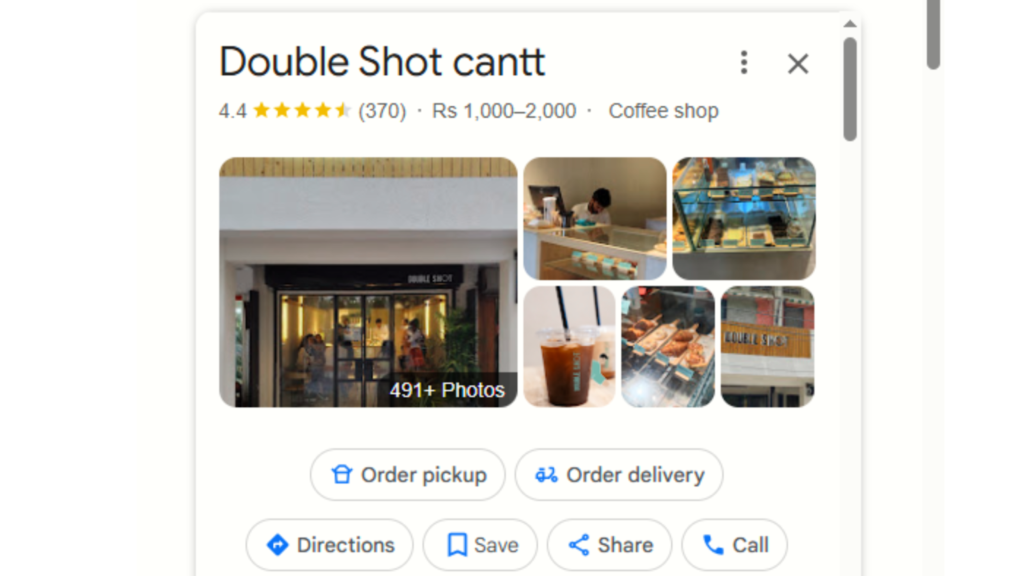
If you are not using photos, videos, or any visual content, you’re missing out. High-quality visuals can leave a lasting impact on customers. It helps immediately capture customers’ attention and show you as a professional, not just another business.
It builds credibility, trust, and looks more inviting to customers. In this short attention span or the multimedia world, people lean more to visual content than written. Make sure to use it strategically and often to make your profile better.
How to fix it:
- Upload high-quality and relevant photos and videos.
- Use high-quality visuals and make sure they are properly optimised.
- You can also invite customers to share their photos of your business. It builds authenticity.
- Update photos regularly, especially if you introduce new products or make some changes. Ot helps keep your profile fresh.
6. Ignoring Google Business Profile Insights
Google Business Profile Optimisation is essential for ranking. Ignoring Business Profile insights is another mistake businesses make. Without properly utilising it, you will find yourself just guessing around. GBP insights help you make strategic and informed decisions.
These are there to help you analyse your profile thoroughly and see what’s working and what’s not. It ensures your business strategies are backed by customers’ data, not your assumptions. Always pay attention to these insights, such as search queries, profile views nd customer actions.
It will help you optimise your profile. You can make better marketing strategies, and most importantly, you will understand customer behaviour.
How to fix it:
- Use insights to optimise your profile
- You can also integrate third-party tools to attach to your GBP profile for detailed data analysis and reporting.
- Look at your customers’ behaviour to understand at what stage they are and how you can make them convert.
- Make sure all the options, like calling or visiting your site, are easy and not overwhelming.
- Also consider whether there are any seasonal trends in customer behaviour.
7. Poor Review Strategy (Not Asking for or Responding to Reviews)
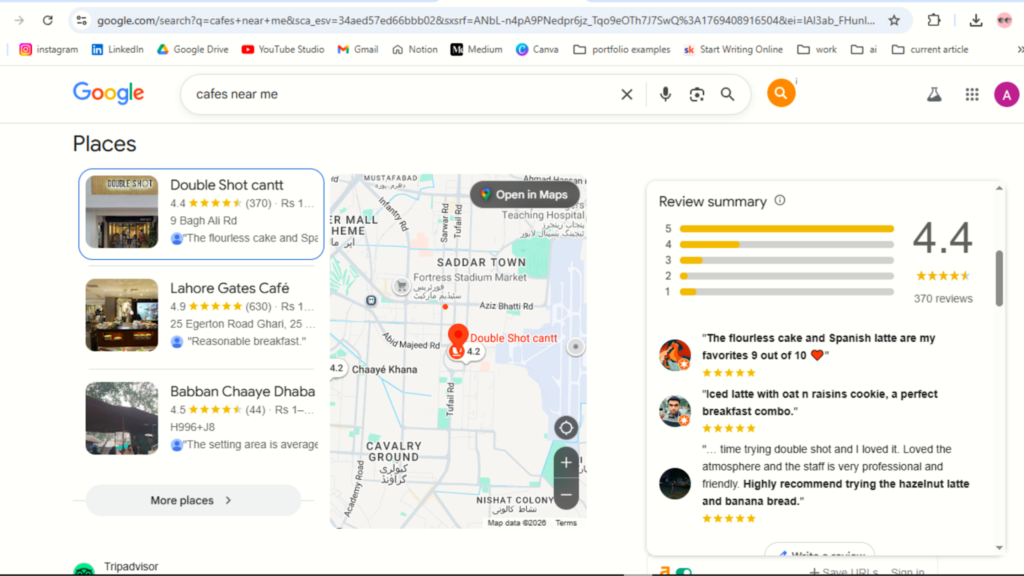
Review systems are there to build trust. If you don’t use it properly, you can lose more potential customers.
Imagine you want to buy something from a shopping site. What would you do? Look for its reviews, right? If there are no reviews or negative reviews, you’ll probably hesitate to buy. And imagine if there are positive reviews, you’ll eventually buy without thinking twice.
If you fail to respond to customers’ reviews, it can position your business as unresponsive or unprofessional. The client’s relationship is an essential part of sales. Reviews are one of the top-ranking factors for trust and local search.
How to fix it:
- Encourage customers to leave a review and always respond to them
- Try to have a template for common types of reviews, both positive and negative.
- Use review management tools to automate tasks.
- Use negative reviews as guidance to optimise your business, respond to them empathetically, and offer solutions.
- Make it a habit to regularly respond to reviews.
8. Not Using Google Posts, Q&A, and Additional Features
Just as I have mentioned before, not utilising Google Business Profile features negatively impacts your business. So use all features wisely and actively.
You can use features like Google posts and updates to share real-time news, updates, or special offers.
Use the Q&A feature to interact with customers and build community. Community building is also one of the biggest ranking factors for businesses. It helps your customers engage with your profiles. You can use it to address customer inquiries.
How to fix it:
- Regularly use Google posts to share updates, news, and features.
- Keep your content fresh and engaging.
- Ensure you link pages to your updates that are relevant and user-friendly. Make sure they are quick to load and easily navigable with clear call to actions.
- Post at least once a week to make your Google Business Profile Active.
- Regularly check your Q&A section and strategically answer customers. MAke sure to give clear and helpful responses.
Conclusion
If you want to make your business stand out in a sea of businesses, make sure to avoid these small mistakes. These Google Business Profile SEO tips are what make other businesses rank.
Maintaining correct, consistent information and utilising all features can make your profile rank. Engage with customers through reviews, posts, and Q&A. Build community. Use insights to regularly audit your profile. Verify your account and build credibility. Use high-quality multimedia to attract more customers.
Doing these quick fixes can enhance your visibility and attract more customers.
FAQs
What are common Google Business Profile mistakes?
Common mistakes include choosing the wrong category, not verifying the profile, inconsistent NAP details, ignoring reviews, and not using photos or key features properly.
Is 4.7 a good Google rating?
Yes, 4.7 is generally considered a good rating on Google. It means customers are enjoying your products or services.
Can I remove a 1-star rating on Google?
Yes, you can remove ratings only if they violate Google’s terms and conditions. These platforms prioritise authentic feedback. Businesses just can’t remove feedback because it is negative.
How does Google verify my business?
Verification depends on your business type, region, business hours and public info. Google can have multiple verification options based on your business.
Do review scores affect business?
Yes, reviews can have a huge impact on your business and sales. People usually don’t buy from places with negative reviews or no reviews.